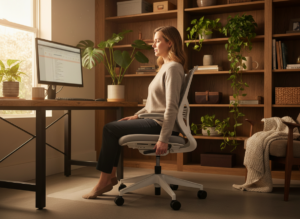
An ergonomic office chair is designed to help you sit with less strain while you work. Unlike a basic chair that simply looks “office-like,” an ergonomic model is built around adjustability: it changes to fit your body, your desk height, and the way you use a keyboard and screen. The goal is simple—support neutral posture, reduce sustained muscle effort, and make long stretches of seated work more sustainable.
What an ergonomic office chair is (and what it isn’t)
An ergonomic office chair is a task chair intended for desk work, with controls that let you tune seat height, back support, and arm position. It is not a guarantee of perfect posture, and it won’t fix a poorly set up workstation. It is a tool that makes good working positions easier to achieve and easier to maintain—especially when you alternate between upright typing, reading, and brief recline breaks.
How to fit an ergonomic office chair to your body
Fit comes first. Many “comfort” chairs feel fine for ten minutes and then create pressure or slumping. Start with these practical checkpoints and adjust in this order so each change supports the next.
1. Set seat height for stable feet
Adjust seat height so both feet rest flat on the floor and your weight is evenly supported. Your knees should bend comfortably without the seat cutting into the back of your legs. If your desk is high and you must raise the chair, use a footrest so you keep stable contact and avoid dangling feet.
2. Match seat depth to your legs
Slide the seat pan (if adjustable) so you can sit back against the backrest while leaving a small gap between the seat edge and the back of your knees. Too deep pushes into the legs; too shallow reduces thigh support and encourages perched sitting.
3. Position lumbar support to maintain the natural curve
The lower back naturally curves inward. An ergonomic office chair should support that curve without forcing an exaggerated arch. If lumbar height adjusts, align it with the small of your back. If depth adjusts, aim for firm support that feels present but not intrusive.
4. Adjust backrest recline and tilt tension
Recline lets your back share the load with the chair, reducing constant muscle effort. Set tilt tension so you can lean back smoothly without feeling like you’re falling. Use a gentle recline for reading or calls, and return upright for precise typing.
5. Set armrests to reduce shoulder load
Armrests should support your forearms while your shoulders stay relaxed. Raise or lower them so your elbows rest near your sides. If armrests force your shoulders up, lower them. If they block you from getting close to the desk, reduce width or slide them back when possible.
10 essential features to look for before you buy
Not every chair marketed as ergonomic delivers the adjustability needed for real fit. Use the list below as a buying filter and prioritize features that affect alignment and sustained comfort.
1. Wide seat-height range
A broad height range helps shorter and taller users keep feet stable and hips positioned correctly relative to the desk.
2. Adjustable lumbar support
Look for lumbar that adjusts in height, depth, or both. Fixed lumbar can work, but it must match your body well.
3. Seat depth adjustment
This feature is a major comfort divider for long sitting because it controls pressure behind the knees and contact across the thighs.
4. Recline with controllable tilt tension
Recline supports movement and posture variation. Good tension control makes recline usable across body weights.
5. Stable, supportive seat cushioning
Choose cushioning that supports without collapsing. A “waterfall” front edge can reduce thigh pressure and improve circulation.
6. Adjustable armrests (height at minimum)
Height-adjustable armrests help reduce shoulder and neck effort. Additional adjustments (width, pivot, depth) improve fit.
7. Backrest shape that supports the thoracic area
Upper-back support helps reduce rounded shoulders during long computer sessions, especially for smaller users.
8. Breathable upholstery
Mesh or ventilated materials can improve thermal comfort, which matters when you sit for hours at a time.
9. Quality casters and a stable base
A five-point base and appropriate casters (for carpet or hard floors) help you move without twisting your torso.
Common ergonomic office chair setup mistakes
Even a high-quality chair can create problems if it’s set up poorly. Avoid these frequent issues and you’ll get more value from the adjustments you paid for.
- Seat too high: feet dangle, pressure increases under the thighs, and stability decreases.
- Seat too deep: the seat edge presses behind the knees, encouraging slouching and leg discomfort.
- Lumbar in the wrong spot: support misses the low back and can feel like it’s pushing the spine forward.
- Armrests too high: shoulders shrug upward, creating neck and upper-trap tension.
- Locked rigidly upright: lack of movement increases fatigue; controlled recline is often healthier.
How the chair fits into the whole workstation
An ergonomic office chair works best when it matches the desk and screen setup. If your chair is adjusted well but your monitor is too low, you may still lean forward. If the keyboard is too high, you may still elevate your shoulders. Use the chair as the foundation, then position the work surface and display so your head stays balanced over your torso and your arms work near your sides.
What “ergonomic” guidance means in the real world
Workplace ergonomics focuses on reducing risk factors like awkward posture, force, repetition, and long duration. For a practical overview of ergonomics concepts and risk reduction, see the U.S. Occupational Safety and Health Administration’s ergonomics resource: https://www.osha.gov/ergonomics.
Quick adjustment checklist (60 seconds)
If you want a fast reset, use this short sequence whenever you change desks or notice discomfort:
- Set seat height so feet are flat and stable.
- Slide seat depth to leave a small gap behind the knees.
- Align lumbar support with the small of the back.
- Set armrests so shoulders stay relaxed.
- Set recline tension so you can lean back smoothly.
Who benefits most from an ergonomic office chair?
An ergonomic office chair is most valuable when sitting time is high and tasks vary. Remote workers, students, and office staff benefit because adjustability helps match different desks and monitor setups. Shared workstations benefit too, since multiple users can reset height, lumbar, and armrests quickly. In long-duration roles such as monitoring or reception, the ability to alternate upright work with brief recline breaks can reduce end-of-day fatigue.
Care and lifespan basics
Keep the chair functional so adjustments stay easy to use. Clear debris from casters, re-tighten loose hardware, and re-check settings after moving the chair or changing footwear height. Smooth movement matters because it supports posture variation.
Bottom line
The right ergonomic office chair is the one you can fit to your body and your tasks, day after day. Prioritize adjustability, support the natural curve of your back, keep your feet stable, and allow movement through controlled recline. When the chair fits, healthy sitting becomes easier—and sustained desk work becomes less taxing.